Loading the page
Help center
A clean scan gets counted, priced, and translated without delay. Here is exactly what a good scan looks like — and the problems that cost you time.
Why it matters
When you upload a document, our system tries to read the text directly to give you an instant word count and price. A scan with a shadow, a tilt, or a glare usually can't be read that way — it gets flagged for a human to check by hand, which is accurate but takes longer than an instant quote. A clean scan is the single biggest thing you control that keeps your order moving at full speed. See how word counts become pages for how counting works once a file is readable.
Common document problems
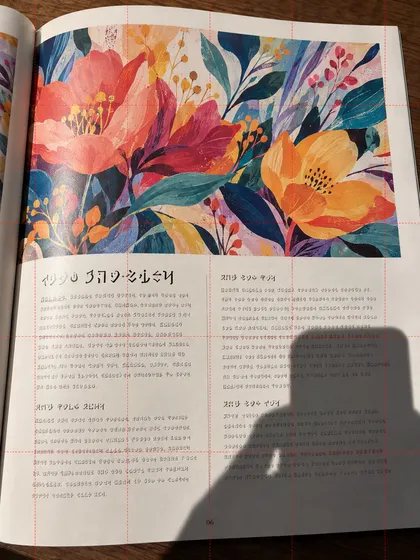
Hand or body shadow
A hand or body shadow falls across the document. Text under the shadow becomes unreadable. Shoot with light in front of you, from an angle that casts no shadow onto the page.
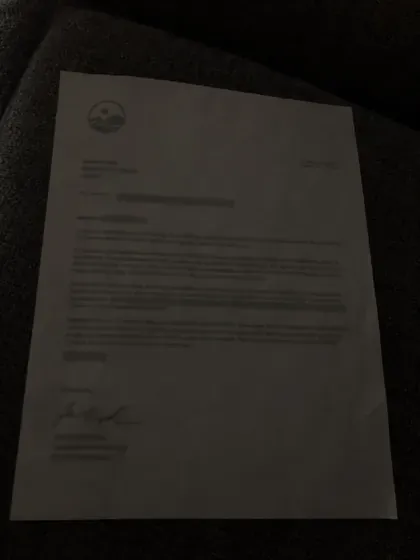
Taken in low light
Insufficient lighting means the text and the background barely separate, and the content becomes hard to read. Retake it near natural light, or turn on a room light first.
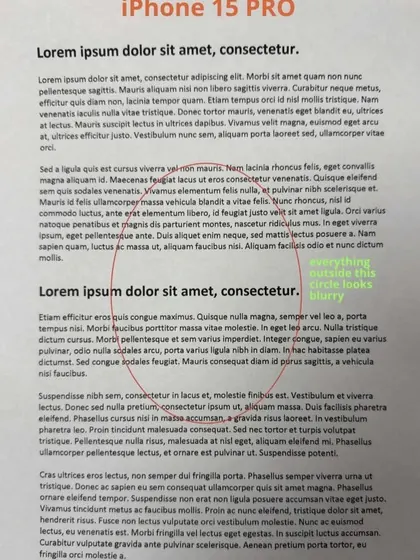
Marked up by hand
The document has handwritten circles or notes added to it. We can only translate the original, unaltered document — a marked-up copy can't be accepted at all.
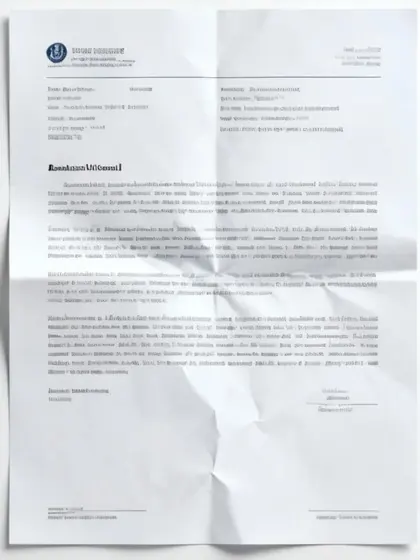
Creased or wrinkled
The document has been folded and creased. Crease lines distort the text underneath them. Press it flat — under a heavy book works well — before scanning.
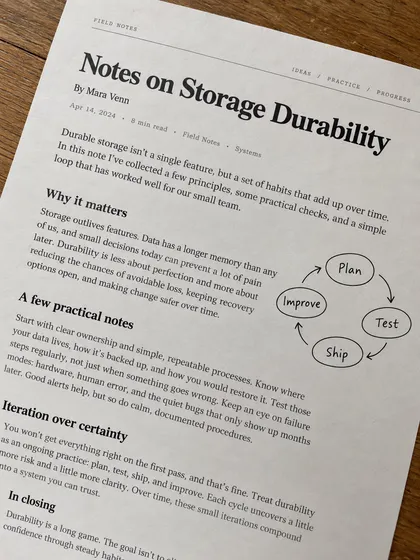
Shot at an angle
Perspective distortion from an angled shot makes the lines of text slant. Line the camera up parallel with the document and shoot straight down.
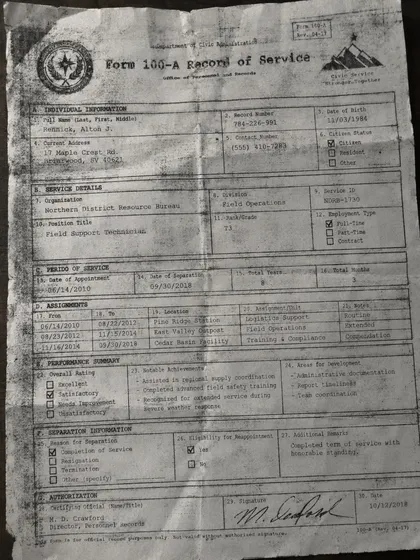
A copy of a copy
This is a photocopy of a photocopy — quality degrades with every generation, and the text is no longer sharp enough to read reliably. Scan from the original or a notarized copy.
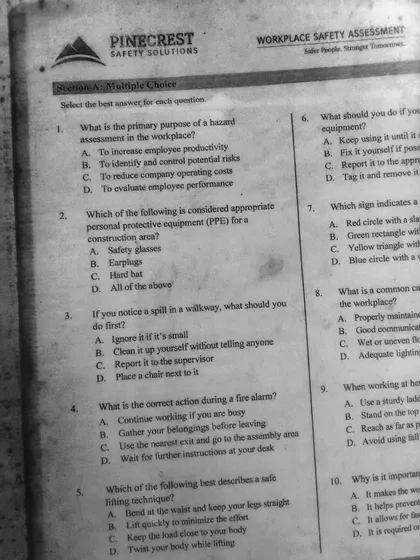
Edges cut off
Part of the document falls outside the frame. All four corners and the full content need to be visible. Hold the camera a little farther back and try again.
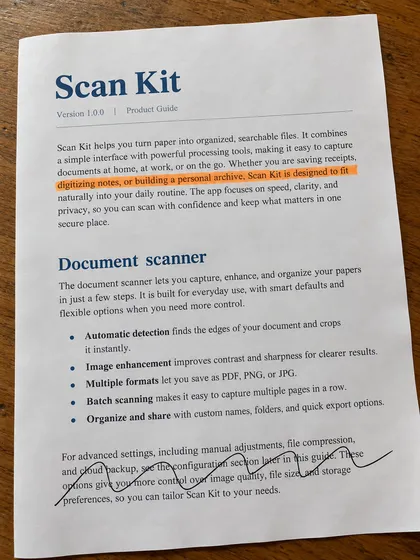
Highlighter marks
Highlighter lines have been drawn across the document. This affects the document's official appearance and can distort colors in the scan. Submit a clean, unmarked copy.
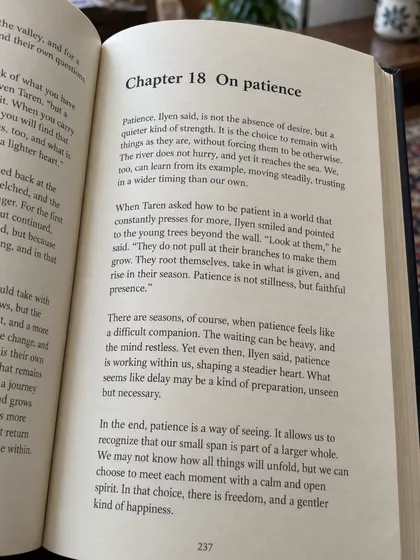
Open book, curved page
An open book photographed at an angle — the page curve near the spine and the perspective distortion both warp the text. Press each page flat and photograph pages separately.
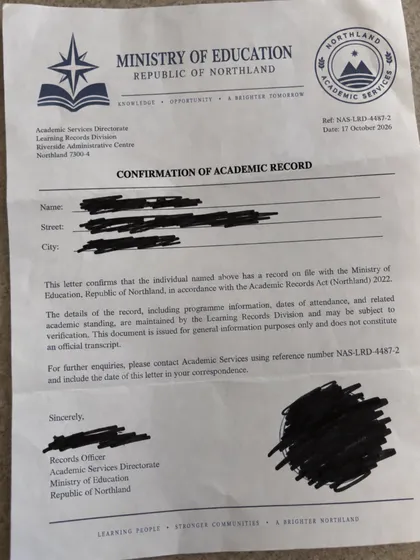
Information blacked out
Sections of the document have been covered in black. We need the complete, unaltered document — anything with information hidden this way can't be processed.
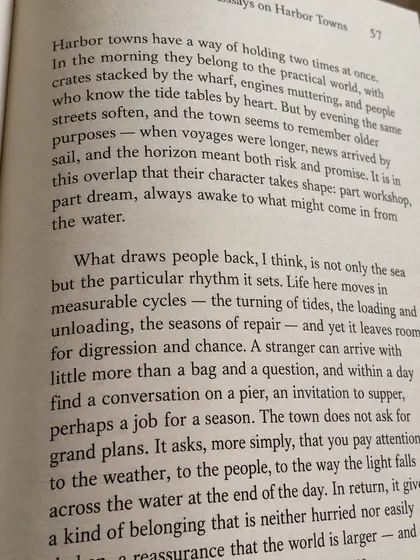
Strong angle, distorted
The document was shot from a strongly oblique angle. Lines of text curve and the document's shape is seriously warped. Line the camera up flat against the document's surface.
Common ID problems
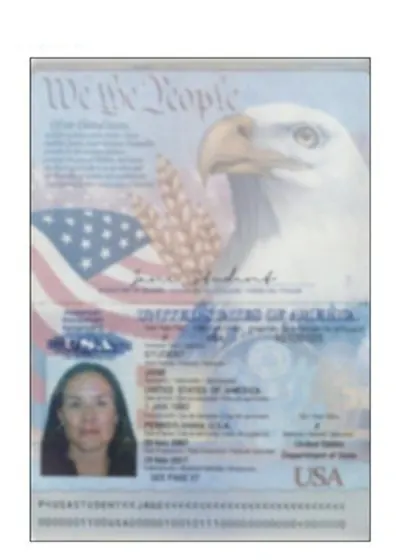
Blurry, out of focus
The image isn't sharp — the camera never locked focus. Name, date of birth, and document number all become unreadable. Hold the phone steady and let it focus before you shoot.
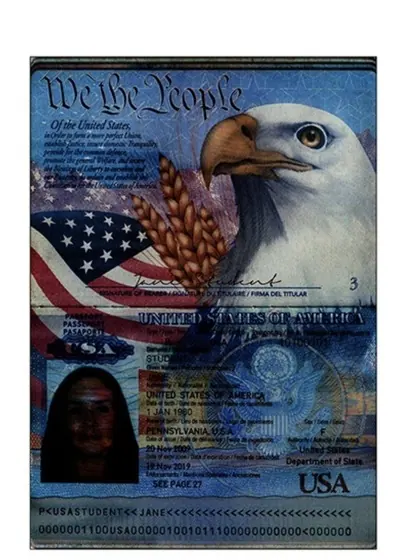
Too dark
Insufficient lighting means not all of the information on the ID is visible. Shoot near a window or in a well-lit room — skip the flash.
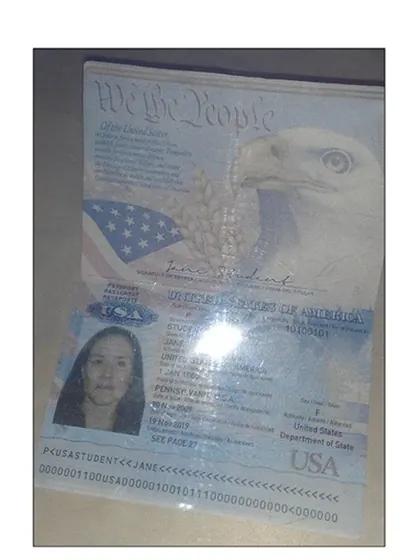
Flash glare
The flash reflected off the plastic laminate and blew out key fields to white. Turn off the flash and rely on natural or room light instead.
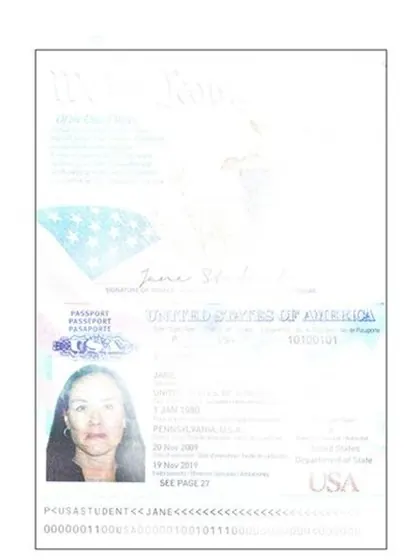
Overexposed
The photo is too bright — the printed photo and text on the card wash out and become unreadable. Reduce the lighting, or step out of direct light.
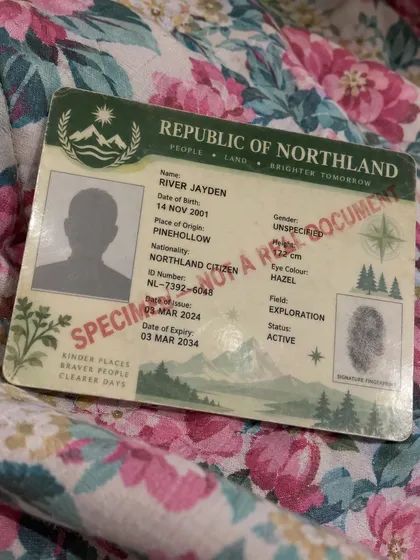
Busy background
The ID sits on a colorful or patterned surface, which makes the card's edges hard to distinguish. Use a plain white or gray surface instead.
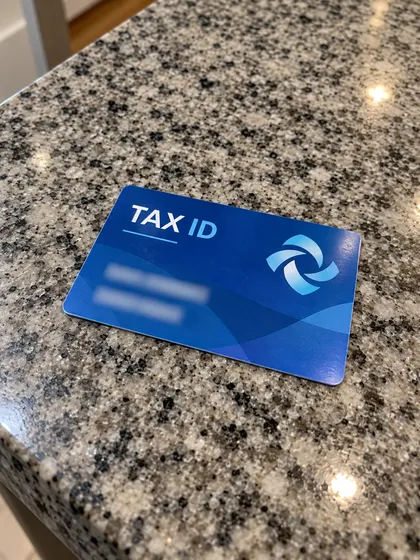
Tilted placement
The ID was placed at an angle on the surface. The perspective distortion warps the text and the machine-readable line at the bottom. Square it up and shoot straight down.
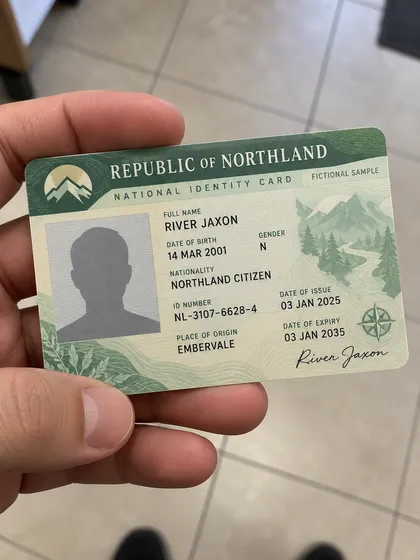
Held in hand
The ID was photographed while held — fingers cover part of it and the card bends slightly. Lay it flat on a plain surface and shoot without touching it.
What a good scan looks like
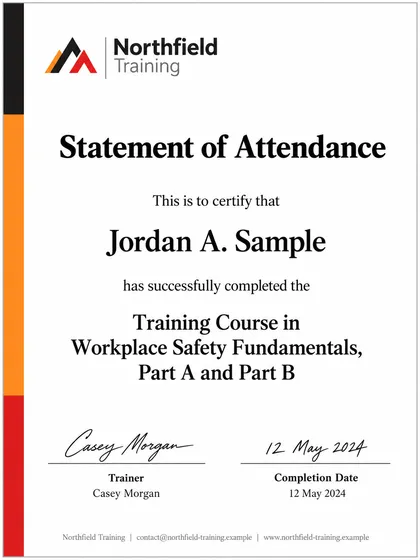
Certificate — correct scan
Placed flat and steady with all four corners visible, and lighting spread evenly across the page. Text and seals are crisp — this is the standard to match.
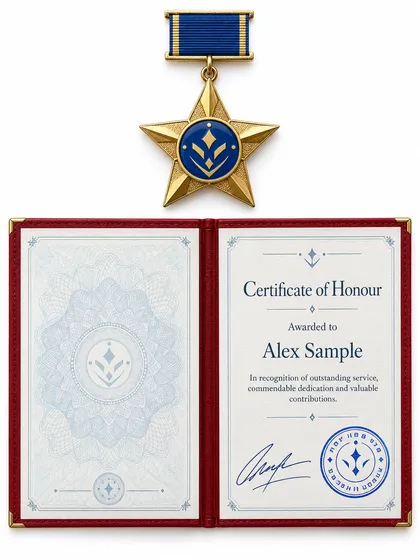
Award document — correct scan
Shot on a plain white background, squared up with the frame. Full content is visible, there's no shadow, and every line of text is sharp.
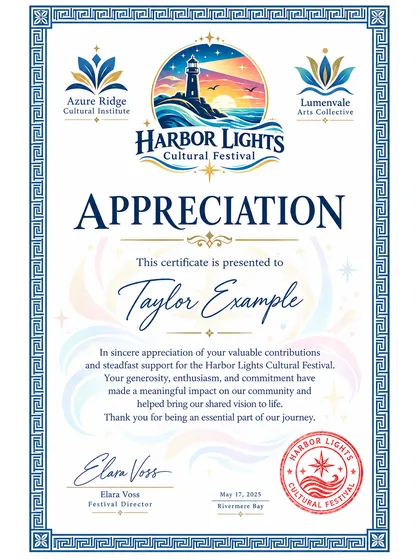
Certificate — correct scan
Every line of text, every seal, and every signature is clearly legible. No perspective distortion, even lighting throughout — nothing is left to guess at.
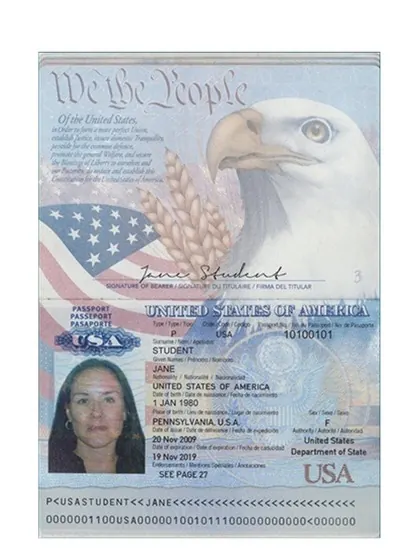
Passport — correct scan
Placed flat on a white background with no flash. Every field is sharp, the machine-readable line at the bottom is fully visible, and all four corners are in frame.
Technical requirements
Resolution
File format & size
Scanner or app
Checklist
Before you upload
If a scan still comes back low-confidence
Certified translation
Get a live quote in minutes. No account needed.
Accepted by USCIS, courts and universities.
from$12.50a page
Up to 350 words · signed PDF